
If you have ever bought chargers, charging cables, or digital accessories overseas, you have most likely run into pitfalls like “they’re all USB-C ports, why is charging so slow?” or “it says full-featured, why can’t it connect to a monitor?” The oval interfaces look identical, but some can fast charge laptops, some can only slow charge earbuds, some can transmit 8K video, and some can’t even read a USB flash drive.
This is not simply a matter of merchants cutting corners. Since its inception, USB-C has not been synonymous with a “single-function interface”, but a complete system with clear specifications, certification, and regulatory requirements. Understanding these rules will save you a lot of detours whether you are matching accessories across brands, shopping for digital products cross-border, or avoiding pitfalls in daily use.
Beginner’s Guide: What Exactly is USB-C
Let’s first clarify the most easily misunderstood concept: the oval interface you see that can be plugged in either way is just the “appearance” of USB-C. Its real identity is a set of connector and cable system specifications developed by the USB standardization organization USB-IF, with clear technical requirements ranging from interface size and internal pin arrangement to basic signal transmission rules.
Its most intuitive feature is double-sided symmetry, supporting blind plugging in either direction, so you don’t have to repeatedly try the right way like with the old USB-A port. But here’s a key point: USB-C itself is not equivalent to fast charging power, high-speed transmission, or any specific functional protocol — it is just a “universal interface form + basic rule framework”. The specific functions it can achieve depend on the internal pin configuration and supported protocols.
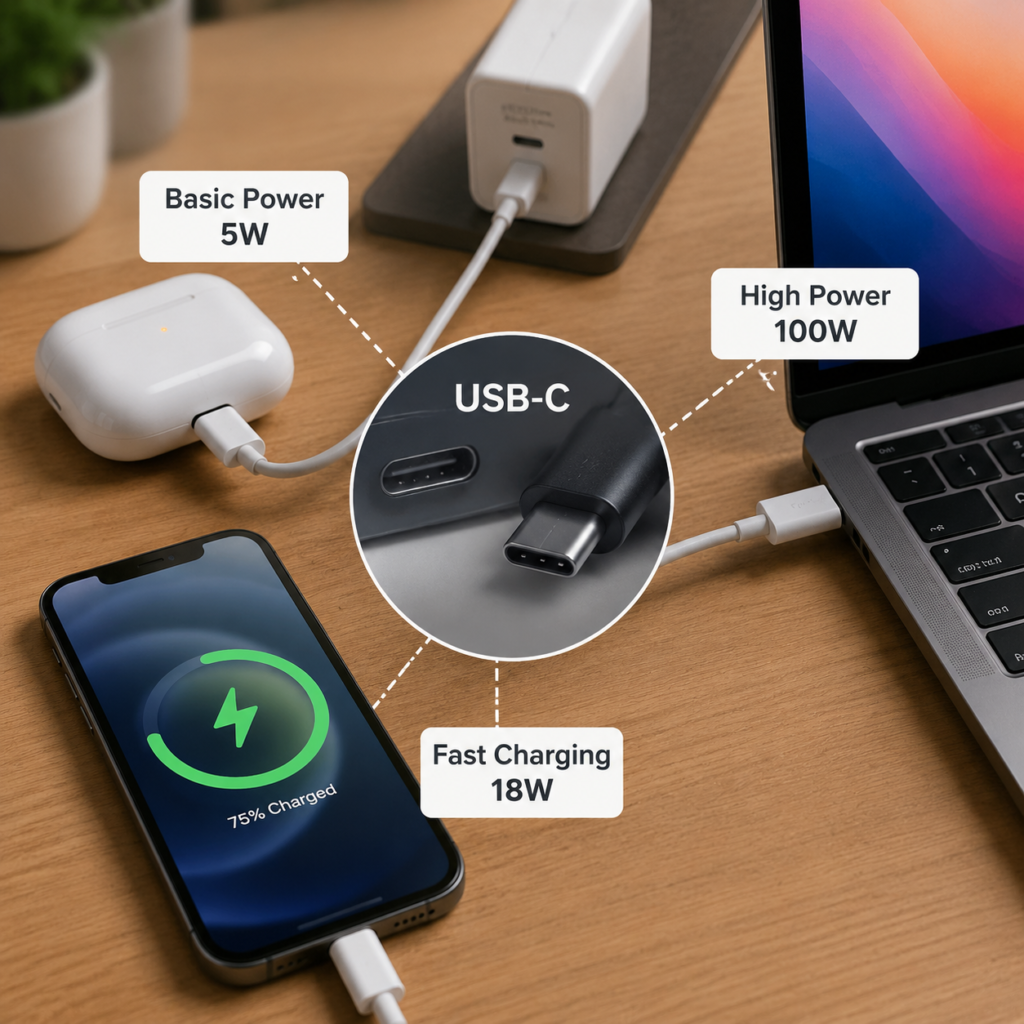
This article mainly focuses on USB-C specifications related to charging, covering products including USB-C chargers and power adapters, USB-C charging cables and adapters (C to C, C to A), as well as consumer electronics such as mobile phones, laptops, and power banks with USB-C charging ports. For content related to data and video, we will only clarify the boundary with charging, and will not go into technical details.
Why should ordinary users understand this? First, it solves the common pain point of cross-brand compatibility: for example, when you use a Brand A charger to charge a Brand B phone, why is it sometimes fast, sometimes slow, or even fails to charge? Essentially, it is a problem of specification matching. Second, this is the basis for safe cross-brand mutual charging: you will know what is normal and what is risky. Finally, if you live overseas or shop for digital products cross-border, understanding this will help you judge whether a product meets local compliance requirements and avoid buying non-compliant products.
Finally, here is a core cognitive anchor. Remember these two sentences and you can avoid 80% of conceptual pitfalls:
First, USB-C mainly specifies basic connection rules for connectors, cables, and CC (Configuration Channel); USB PD is an independent protocol specification built on the USB-C connection system to expand power negotiation capabilities. The USB-C interface itself does not guarantee support for USB PD;
Second, USB data transmission, DP video output, USB4, and Thunderbolt are all independent capabilities attached to the USB-C form factor. You cannot assume they are all present just because you see a USB-C port; each needs to be confirmed individually.
Core Charging Specifications: Technical Requirements You Can Perceive
After clarifying the basic positioning, let’s first talk about the charging-related specifications that everyone cares most about — after all, most people first encounter USB-C through charging. These rules may seem complicated, but most of them can be perceived through daily use.
First are the basic rules for physical interfaces. Compliant USB-C ports all have a unified oval shape. As long as the USB-C plug and socket meet the specifications, they can be plugged in either direction, and there will be no situation where they cannot be inserted. The minimum plug-and-unplug life specified in the specification is 10,000 times, which means it can be used for nearly 3 years even if plugged in 10 times a day. However, the actual lifespan is greatly affected by workmanship; cheap interfaces may become loose after a few thousand uses.
USB-C has two sides of contacts, A and B; VBUS and GND contacts are responsible for the power supply loop, and CC1/CC2 are used for insertion direction identification, connection and role detection, and PD communication. After the connection is established, usually only one CC line corresponding to the direction acts as CC, and the other can be used as VCONN as needed. Whether charging can proceed normally and whether the power is sufficient are closely related to these connection and negotiation signals.
Next is the “role division” that many people find confusing. USB-C devices have two completely independent role systems: one for data transmission and one for charging and power supply, which do not interfere with each other.
There are three data roles: host port (professionally called DFP, Downstream Facing Port, such as a computer when a USB flash drive is plugged in, which actively initiates data transmission), peripheral port (professionally called UFP, Upstream Facing Port, such as a USB flash drive, which responds passively), and dual-role port (DRD) that can switch between the two roles, such as a mobile phone that acts as a host when a USB flash drive is plugged in, and as a peripheral when plugged into a computer for data transfer.
There are also three power roles: power supply end (professionally called Source, such as a charger, or a power bank when charging a mobile phone), power receiving end (professionally called Sink, such as a mobile phone or laptop being charged), and dual-role port (DRP) that can switch, such as a power bank that can both supply power to a mobile phone and be charged by a charger.
These two sets of roles are completely independent. For example, when your tablet is plugged into a computer, it can act as a peripheral to transfer data (data role is UFP) while being charged by the computer (power role is Sink). Devices that support the USB PD protocol can also negotiate to switch power roles according to needs. For example, some laptops can use the USB-C port to charge mobile phones, which means switching from the power receiving end to the power supply end.
Then comes the core logic of charging power, which is what everyone cares most about and where there are the most pitfalls.
First, remember: the USB-C form factor does not guarantee any fixed power. When USB PD is not used, the Type-C power supply end can declare Default USB Power, 1.5A or 3.0A current capability via CC. The actual current under Default USB Power needs to be judged according to applicable USB power supply rules or charging specifications; only when the power supply end declares 3A and the power receiving end accepts it can it reach about 15W at 5V.
To achieve higher power, both parties must support the USB PD protocol and negotiate a power acceptable to both sides through the CC pin before high power can be output.
The actual charging power follows the “barrel effect”: the final power is the lowest capability among the charger, cable, and device. There will be no situation where “the charger’s power is too high and damages the device” — just like a large water pipe connected to a small faucet, the water output is still determined by the faucet.
Specifically, the negotiated power is limited by four aspects:
First is the device end: the charging levels supported by the device itself (professionally called PDO, Power Delivery Object, which is the voltage and current combination the device can accept), whether it supports PPS (Programmable Power Supply), the maximum charging limit, battery temperature, and the current charging stage (for example, the speed will be reduced after charging to 80% to protect the battery) will all affect the actual power.
Second is the charger end: the PDO levels that a single port can output. If it is a multi-port charger, it also depends on the dynamic power distribution strategy — for example, a 100W dual-port charger may reach full 100W when only one port is used, and may become 50W per port when two ports are used.
Third is the cable end: whether the cable’s current rating is 3A or 5A, whether it has a built-in E-Marker chip (a small chip hidden in the cable connector, used to tell the device how much power the cable can handle and what functions it supports), and whether it supports EPR (Extended Power Range) will all limit the maximum power.
Fourth are external factors: too high ambient temperature will trigger power reduction protection, and dust or oxidation in the interface leading to increased contact resistance will also lower the actual power.
Currently common USB PD charging power levels can be divided into three categories:
Basic level: 5V default voltage, up to about 15W, can be achieved without the PD protocol, suitable for charging small devices such as earbuds and smart bands;
Regular fast charging level: 18W to 100W, belonging to the PD standard power range (professionally called SPR, Standard Power Range), with a maximum of 20V5A 100W. It is the most commonly used fast charging level for mobile phones and thin and light laptops currently;
Highest level: up to 240W, belonging to the extended power range of PD3.1 (professionally called EPR, Extended Power Range), supporting up to 48V5A. It is mainly used for fast charging of high-performance laptops and gaming laptops, and requires the charger, cable, and device to all support EPR to reach full power.
Here we specifically mention PPS (Programmable Power Supply): it is a function in the PD protocol that can fine-tune the voltage within a certain range without shifting levels. Many Android phone fast charging (such as 25W, 45W) relies on this function. If your phone’s fast charging requires PPS, you need to confirm separately whether the charger has this function when buying one, otherwise it may only run regular PD fast charging, and the speed will be much slower.
Next is the classification of cable power capabilities. According to PD specifications, there are three common types of C to C cables, organized into a table for easy comparison:
| Cable Type | E-Marker Chip Required | Maximum Power Capacity Under PD Specification | Common Data Capability | Applicable Scenarios |
|---|---|---|---|---|
| 3A C to C cable | No | 60W (SPR standard power) | Mostly USB 2.0 (480Mbps) | Mobile phone fast charging, emergency charging for thin and light laptops under 65W |
| 5A SPR cable | Yes | 100W (SPR standard power) | Both USB 2.0/USB 3.x available | PD fast charging below 100W, regular full-featured cables |
| 5A EPR cable (240W cable) | Yes and supports EPR | 240W (EPR extended power) | USB 2.0/USB 3.x/Thunderbolt available | Fast charging for PD3.1 devices above 100W |
Here are a few easily overlooked points: the power marked on the cable is its maximum capacity, not that it will definitely have that power when plugged in; the final power still requires three-party negotiation and agreement. The longer the cable and the worse the workmanship, the lower the actual power it can carry, and it is also prone to overheating. Some low-priced “charging-only” cables may omit the pins required for high-speed data and video, but retain the basic power supply and CC pins, so they can charge but cannot transmit high-speed data or video. Pay attention when buying.
Finally, let’s talk about the boundary of charging safety: complete product safety requirements such as electric shock, fire, insulation, and temperature rise are mainly specified by applicable regulations and safety standards. At the same time, USB Type-C and USB PD specifications also put forward technical requirements for VBUS electrical parameters, abnormal state handling, and some protection-related behaviors, but they do not replace the product safety certification or conformity assessment applicable in the sales region. Of course, compliant products need to meet local safety requirements such as temperature rise, insulation, and electric leakage, otherwise there will be risks of fire and scalding. This is also why you should buy products that comply with local regulations.
Capability Boundaries: Charging ≠ Data ≠ Video
Many people think USB-C is only for charging, but in fact it can also transmit data and connect to monitors. However, there is a very easy pitfall here: USB-C ports that look the same may have vastly different capabilities.
The core logic is simple: unified form factor ≠ unified capability. Charging, data, and video capabilities need to be confirmed separately, mainly depending on the functional implementation of the device end, port signal routing, cable conductor/rated performance, and supported protocols. USB-C interfaces and cables with the same appearance do not guarantee the same capabilities. High-power charging does not mean high-speed data or video capabilities; conversely, a USB-C port that supports high-speed data may not necessarily support high-power charging — just like USB-C cables, some only have basic power supply and data connections inside, while others have high-speed signal conductors, so of course their capabilities are different.
There are roughly three types of capability combinations for common USB-C products on the market. Be careful not to be fooled by merchants’ promotional words:
The first type is ordinary charging cables/ports: they only support basic charging and USB 2.0 data transmission (up to 480Mbps), and have no high-speed data or video capabilities. This is the most common and cheapest type, suitable for users who only use them for charging.
The second type is “full-featured cables/ports”: this is a common market term, with no unified official capability threshold. When purchasing, you should separately check the maximum power supply capability, USB data rate, and whether it explicitly supports video/high-speed functions such as DisplayPort Alt Mode, USB4, or Thunderbolt. Don’t buy just because you see the words “full-featured”; be sure to check the specific parameters.
The third type is Thunderbolt cables/ports: this is an independent system led by Intel, which only uses the USB-C form factor. Thunderbolt 5 provides up to 80Gbps bidirectional bandwidth; in Bandwidth Boost mode, it can provide up to 120Gbps transmit bandwidth while retaining 40Gbps reverse bandwidth, mainly used for connecting high-speed hard drives, external graphics cards, and docking stations. There is no necessary connection between its bandwidth and charging power. Some Thunderbolt cables only support 60W charging, while some can support 240W; you need to check the parameters separately.
If you need to use USB-C to transmit video, the most common native USB-C display output is DisplayPort Alt Mode, or DisplayPort transmitted via USB4/Thunderbolt tunnel; there are also other video implementation methods. The display protocol explicitly declared to be supported by the host, monitor or docking station, and cable shall prevail. For example, if you use an ordinary charging cable to connect a computer and a monitor, usually you cannot transmit video, because the cable does not have the corresponding high-speed signal capability.
Therefore, when buying any USB-C product, you must follow one principle: for whatever capability you need, check the corresponding parameters separately. Never place an order just based on the “USB-C” label.
The Three-Tier Relationship Between Specifications, Certification, and Regulations
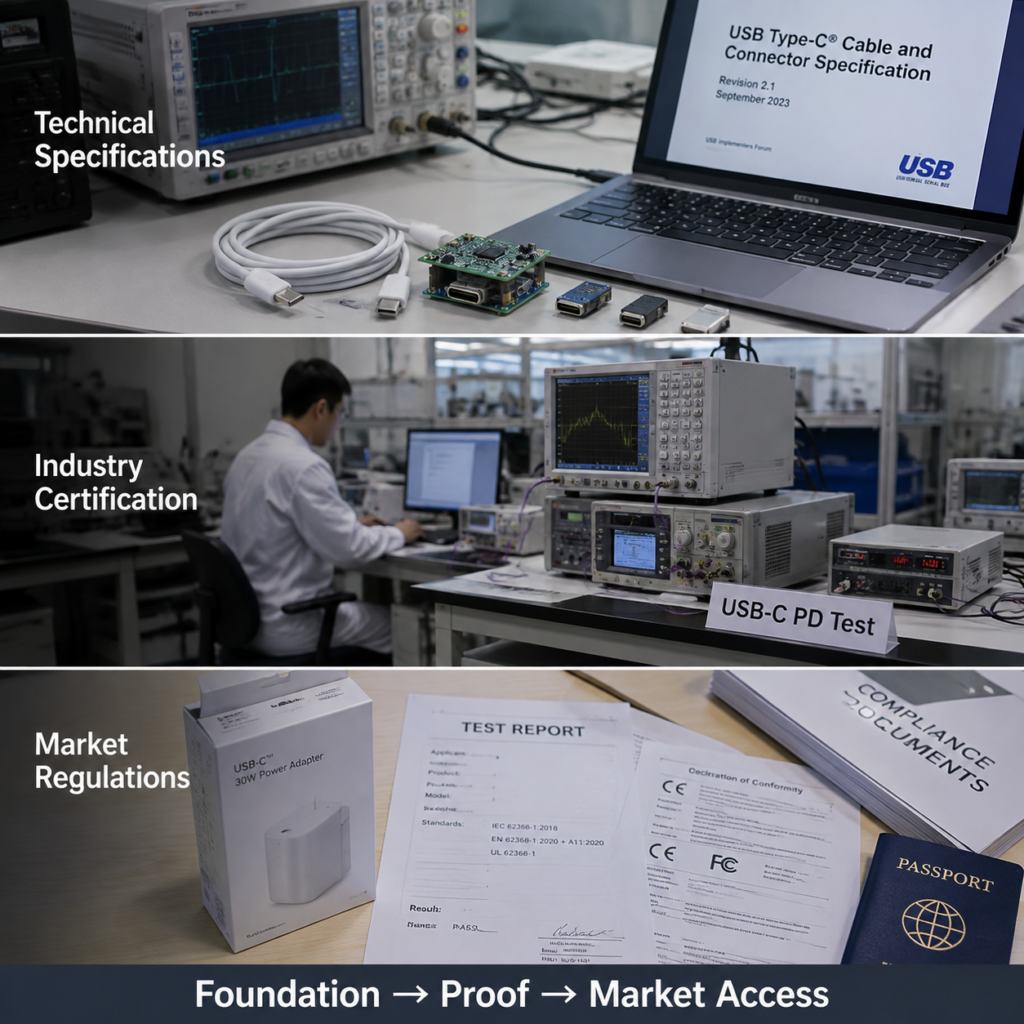
Since USB-C capabilities are so complex, how do you judge whether a product is compliant? Many people confuse “meeting USB specifications”, “having certification”, and “complying with regulations”. In fact, these are three completely different levels of requirements that cannot replace each other.
We can use building a house as an analogy, which is easy to understand:
The first tier is technical specifications, equivalent to “architectural design standards”, which tell you how to design the size and structure of the house, and are the technical bottom line.
The second tier is industry compliance certification, equivalent to “third-party quality inspection”, which proves that your house is indeed built according to design standards and the quality is guaranteed. It is voluntary.
The third tier is market access regulations, equivalent to “local building permits and fire safety requirements”. If you want to sell houses locally, you must meet local safety and environmental protection requirements. It is mandatory.
Specifically in the USB-C field:
The first tier is technical specifications, issued by various standard organizations, which are the technical bottom line for product design. USB-IF has released the USB Type-C specification (governing the shape and pins of interfaces and cables), USB PD specification (governing charging negotiation), and USB4 specification (governing high-speed data transmission). There is also the independent Thunderbolt specification, led by Intel, using the USB-C form factor, which has overlapping compatibility with USB4 but is itself an independent specification. These specifications constrain the design of USB-C products; if they are not made according to the specifications, they will be incompatible with other devices.
The second tier is industry compliance certification, which is voluntary, represented by USB-IF compliance certification, Thunderbolt certification, etc. Certified products can use the official Logo, proving that they meet the corresponding technical specifications and have better stability for cross-brand mutual charging and interconnection. Note that it is voluntary; not having certification does not mean it is illegal, just that compatibility may not be as guaranteed.
The third tier is market access regulations, which are mandatory, represented by CE, FCC, PSE, KC, UKCA, etc., applicable according to the sales region and category of the product. These regulations mainly focus on safety, electromagnetic compatibility, environmental protection, etc., and do not verify USB protocol compatibility — that is to say, a charger with the CE mark does not necessarily support PD fast charging, nor does it necessarily comply with USB-C specifications. It only indicates that it meets EU regulatory requirements such as safety.
The core relationship between the three is: technical specifications are the foundation, industry certification is proof of compliance with specifications, and market regulations are the access threshold. The three perform their own duties and cannot replace each other.
Core Certification and Sales Region Regulatory Requirements
For overseas users, what they care most about is which certifications are useful and what the local regulatory requirements are. Let’s clarify the most common categories.
First is the USB-IF official compliance certification, which is a voluntary certification for the USB specification itself.
The authorizing body is USB-IF, the organization that develops USB specifications, and the certification scope covers all USB products with USB-C.
What it verifies is whether the product meets USB specifications and whether it can improve the stability of cross-brand mutual charging and interconnection. However, it does not verify the access requirements of the sales region, nor does it verify proprietary functions that are not USB protocols — for example, a brand’s own private fast charging is not managed by USB-IF.
How to check the authenticity of certification? You can use the TID database on the USB-IF official website, enter the product’s TID number, and you can find the corresponding brand, model, product category, and declared capabilities, then cross-verify with the official Certified USB Logo and brand authorization information. Here are two boundaries to note: first, both the Logo and TID may be counterfeited, so buy from legitimate channels; second, not having a TID does not mean the product is illegal, just that it has not been officially certified; third, having a TID cannot replace local regulatory compliance. Even with USB-IF certification, it must comply with the regulations of the sales region to be sold legally.
Next are sales region regulations and conformity marks, which are mandatory market access requirements. They have nothing to do with the USB specification itself, do not verify protocol compatibility, and only prove that the product meets local regulatory requirements. Common conformity marks overseas include the following:
- EU CE: This is the EU’s conformity mark, affixed by the manufacturer after self-assessment, covering safety, electromagnetic compatibility (EMC), environmental protection and other requirements. It is not issued by a unified agency. Many people think CE is an agency certification, but it is not. Manufacturers need to keep technical documents on their own for random inspection by regulatory authorities.
- US FCC: The mark of the US Federal Communications Commission, which only regulates electromagnetic compatibility and radio frequency-related requirements, and does not involve general electrical safety. For example, the FCC certification of a charger only tests whether it will interfere with other electrical appliances, not whether it will leak electricity.
- Japan PSE: Japan’s electrical product safety certification, divided into different categories according to the hazard level of the product. Most electrical products such as chargers need to meet PSE requirements.
- South Korea KC: South Korea’s conformity mark, covering safety, EMC and other requirements, applicable according to product classification.
- UK UKCA: One of the UK’s conformity marks after Brexit. The UK currently recognizes the CE mark indefinitely for most relevant product regulations; whether CE can be used or UKCA must be used should be confirmed according to product regulations and the sales region (Great Britain or Northern Ireland).
Here we focus on the EU’s common charger requirement, which is the most influential USB-C-related regulation in recent years. Many people have heard of it, but it is easily misunderstood.
The basis of this regulation is the revision of the EU Radio Equipment Directive (RED), and it applies to new products placed on the EU market, including portable electronic devices such as mobile phones, tablets, earbuds, as well as laptops.
The timeline is: it will take effect for portable electronic devices on December 28, 2024, and for laptops on April 28, 2026.
There are two core requirements: first, the device must be equipped with a USB-C charging port; second, for devices within the scope that can be charged via wired means, if their charging capability exceeds any of the thresholds of 5V, 3A, or 15W, they must use USB Power Delivery; at the same time, they must also meet accessory requirements such as the USB-C interface.
But note its limitations: it does not unify charging power, which means manufacturers can still make 18W, 65W, 100W or even 240W power, as long as they have a USB-C port and support PD when the corresponding conditions are met. There are also exemptions, for example, some particularly small devices and special-purpose devices may not need to comply. The specific content shall be subject to the original text of the regulation.
There are two other common related certifications that people tend to confuse. Here is a brief distinction:
One is Apple MFi certification, which only covers specific Apple accessories, such as C to Lightning cables. It mainly verifies the compatibility of the Lightning end and cannot replace USB-IF certification — that is to say, for MFi-certified cables, the USB-C end does not necessarily comply with USB specifications.
The other is Thunderbolt certification, for Thunderbolt 3/4/5 devices and cables, which verifies high-speed expansion capability. It is an independent certification led by Intel, with no subordinate relationship with USB-IF certification. Products with Thunderbolt certification do not necessarily have USB-IF certification, and vice versa.
Core Process of Testing and Certification
Many people are curious: how are these certification and compliance requirements tested? We don’t need to understand too professional testing details; knowing the general process will help us better judge the reliability of products.
First is the pre-testing at the manufacturer’s end. Before sending for official certification or doing regulatory compliance, the manufacturer will first conduct two rounds of testing:
The first round is design self-inspection: according to USB Type-C, PD and other specifications, check whether the interface size, pin definition, and power parameters meet the requirements, to avoid low-level errors.
The second round is pre-compatibility testing: the manufacturer itself or entrusts a third-party laboratory to conduct mutual charging and protocol negotiation tests with devices of different brands to see if there are compatibility issues, so as to avoid failing the official certification test.
Then comes the USB-IF official compliance certification process: the manufacturer sends samples to a USB-IF authorized laboratory to conduct a full set of tests according to the corresponding specifications. USB-IF test items are determined according to product category, specification version, and certification plan, and usually cover corresponding interface, electrical, protocol, and interoperability requirements. Whether complete product safety tests such as short circuit, overvoltage, temperature rise, and fire protection are applicable shall be separately confirmed according to sales region regulations and product safety standards.
After passing the test, the manufacturer is allowed to use the official USB-IF Logo, and the product will be entered into the official database and assigned a unique TID number. Note here: the power measured by consumers themselves with a power meter cannot replace official certification, because there are dozens or even hundreds of official test items, and ordinary users can only measure the approximate power.
Next is the market regulation access process: manufacturers need to complete relevant tests such as safety, EMC, and environmental protection according to the sales region and category of the product, and keep complete technical documents for random inspection by regulatory authorities.
As ordinary users, we can initially judge compliance through the markings on the product. What information must be marked on the product depends on the sales region regulations, applicable safety standards, and whether a specific certification Logo is used. Legal information such as rated input/output shall be subject to local requirements; PD/PPS/EPR capabilities and data rates are commonly found on packaging, manuals, technical specification pages, or certification databases, and should be verified against the manufacturer’s specifications when purchasing.
If the product lacks manufacturer identification, model, rated parameters, applicable conformity marks, or necessary safety information required by the laws of the sales region, you should be vigilant and verify. Compliance should be comprehensively judged based on the sales region, product category, legal labeling, and manufacturer’s conformity documents.
Finally, we should mention mass production consistency: whether it is USB-IF certification or regulatory compliance assessment, they are only responsible for the submitted samples and the declared design. If the manufacturer changes key components during mass production, such as changing the power chip of the charger or the copper core specification of the cable, it is necessary to evaluate whether to re-test, update technical documents, or re-apply for certification. Some unscrupulous manufacturers send good samples for testing but cut corners during mass production, which is why you should choose reputable brands.
Practical Guide: Purchase Matching and Troubleshooting
After talking about so many specifications and certifications, it ultimately comes down to how to choose and how to troubleshoot problems in actual use. We have compiled practical methods from beginner to semi-proficient levels. You don’t need to memorize terms, just follow them.
First is demand matching and verification before purchase. Beginner users only need to master the 3-step verification method to avoid the vast majority of pitfalls:
Step 1: Clarify core demand parameters. Start with your device, figure out the maximum charging power of the device and what protocol it needs (for example, whether PPS is needed, whether PD input is supported); then choose a charger, the single-port power should cover your device’s needs. If it is a multi-port charger, be sure to check the combined output rules when multiple devices are used at the same time, don’t just look at the total power; finally choose a cable, the cable’s power capacity should be greater than or equal to your needs. If you need to transmit data or video, you also need to check the corresponding parameters separately.
Step 2: Check compliance. If you have high requirements for cross-brand compatibility, prioritize products with verifiable USB-IF certification; at the same time, confirm that the product meets the regulatory requirements of your region. For example, in the EU, it must have the CE mark, and in Japan, it must have the PSE mark.
Step 3: Initial screening to avoid pitfalls. First clarify the product’s positioning: is it an ordinary charging-only cable, a full-featured cable, or a Thunderbolt cable? Don’t guess based on appearance; avoid products with excessively low prices, vague markings, no brand or model, and falsely marked power. Obviously abnormal prices can be used as a signal to be vigilant, but you cannot conclude false marking solely based on price; you should check the manufacturer’s model, 240W/5A EPR declaration, verifiable certification or test information, and buy from reliable channels.
If you want to match the charging combination more accurately, you can master the semi-proficient judgment logic: work backwards from the power receiving end (that is, your device), confirm the capabilities of the device, charger, and cable in order, don’t do it the other way around by looking at the charger first then the device. Here are examples of common scenarios:
- 65W PD thin and light laptop: First check the device’s PD input PDO. If full-power input requires more than 3A, you should choose a charger that can provide the corresponding PDO and a 5A-supported cable with E-Marker; when using a 3A/60W cable, the device may charge at reduced power, or may prompt insufficient power.
- 25W Android PPS fast charging: It is enough to choose a PD charger that supports PPS + a 60W C to C cable, because the 25W current does not exceed 3A;
- 140W PD3.1 laptop: You must choose an EPR charger of ≥140W + a 240W EPR cable, otherwise you cannot reach full power.
Here are a few more common mistakes to remind you of: only looking at the total power of the charger, not the single-port and combined output; using a C to A adapter for PD high power (the A port has no CC pin, so it cannot negotiate PD); the cable power is lower than the device’s demand, leading to slow charging.
Then comes the basic inspection and matching verification after receiving the goods:
First, do an appearance and insertion test: insertion in both directions should be smooth, without looseness, jamming, or failure to insert fully. The markings on the product should be clear, not blurry.
Then do a basic charging test: charge a legitimate device. If there is no prompt like “accessory not supported” and no repeated disconnection, it is normal.
If you want to confirm whether the power matches, you can check the device’s charging prompt, or test with a legitimate power meter, but this is not necessary. Ordinary users don’t need to buy a power meter specifically.
Finally, common troubleshooting and safety red lines, which can be operated by beginner users:
If you encounter failure to charge or repeated disconnection, first clean the dust in the interface, plug the cable tightly, then replace the charger and cable in turn to troubleshoot and find the faulty component.
If the charging speed is slow, first check whether the cable’s power level is sufficient, then check whether the charger’s output meets the requirements, and finally troubleshoot the cause on the device end — for example, whether it has reached the protection stage above 80% charge, whether the temperature is too high, or whether many high-load programs are running.
If there is slight heating during charging, this is normal. You can remove the phone case or protective cover, close high-load programs, and observe whether the temperature drops.
But if the following situations occur, they are safety red lines and you should stop using immediately:
Continuous burning hot during fast charging, burning smell, discolored interface, softened cable body, repeated disconnection;
The interface is charred or deformed.
Here is a supplement: ambient temperature, device load, and charging stage will all affect the temperature during charging. For example, the temperature will be a bit higher during fast charging in summer. A hot feel does not necessarily mean it is unsafe, but if it is continuously burning hot or has a strange smell, you must never use it again. Feel cannot replace professional safety testing.
Summary and Frequently Asked Questions
At this point, the USB-C specifications, certification, and related requirements are almost covered. You don’t need to memorize all the professional terms. As long as you can independently make these three types of judgments, you have already surpassed the vast majority of ordinary users:
First, you can distinguish concepts: know that USB-C is an interface and cable system, PD is a charging protocol, data and video are independent capabilities, and voluntary certification and mandatory regulations are two different things;
Second, you can do purchase matching: understand product markings, judge the matching degree of charging combinations, and avoid obviously non-compliant products;
Third, you can do troubleshooting: when encountering failure to charge, slow charging, or abnormal heating, you can troubleshoot step by step, and know what situations are safety red lines that require immediate stop of use.
Finally, we have compiled a few of the most frequently asked questions and answered them uniformly:
- Is USB-C equivalent to fast charging?
No. USB-C is a system specification for connectors and cables. Fast charging capability is determined by the USB PD protocol and the device’s design. Many early USB-C devices only had 5V basic charging and no fast charging capability. - Must 240W USB-C cables have certification?
There is no mandatory requirement for USB-IF certification, but legitimate 240W EPR cables must have a built-in E-Marker chip that supports EPR, and need to comply with the safety regulations of the sales region. It is recommended to choose products with compliance certification and from reputable brands as much as possible to avoid safety risks caused by false marking. - Is the CE mark equivalent to USB-IF certification?
No. CE is a conformity mark for the EU market, which only proves that the product meets EU regulatory requirements such as safety, EMC, and environmental protection. It does not verify USB protocol compatibility, nor can it prove that the product meets USB-C specifications. - Can all USB-C cables transmit video?
No. Video transmission requires dedicated high-speed pins and protocol support (such as DP Alt Mode, USB4, Thunderbolt). Ordinary charging cables only have power supply and basic data pins, so they cannot transmit video. You need to check the product’s parameter description separately. - Will charging speeds be the same after the EU unifies the charging interface?
No. The EU only requires the unified use of USB-C interfaces and support for the PD protocol when charging capability reaches the corresponding threshold, but it does not unify charging power. The charging power of different devices is still determined by the manufacturer’s design, and can range from 15W to 240W. - Can USB-C to USB-A cables run USB PD?
No. The USB PD protocol requires the CC pin of the USB-C port to negotiate power. The USB-A port has no CC pin, so C to A cables can only use the power supply rules of the USB-A port, and at most support the private fast charging protocol of the A port, and cannot run USB PD high-power negotiation. - Can 240W EPR cables be used for ordinary mobile phones?
When the charger, cable, and mobile phone are all intact and comply with USB Type-C/PD specifications, the rated capability of the 240W EPR cable will not force 240W output to the mobile phone; the system will negotiate the power supply level acceptable to the mobile phone. For products of unknown origin, damaged, or non-compliant, this cannot guarantee that there is no risk.
Overall, the “unified form factor” of USB-C is just the beginning. The power, functions, certification, and regulations behind it are the key to determining the user experience and safety. For ordinary users, there is no need to memorize all specifications by rote. As long as you master the core ideas of “check parameters according to needs, recognize compliance marks, and troubleshoot step by step”, whether you are buying locally or shopping for accessories cross-border, you can avoid the vast majority of pitfalls and use them smoothly and with peace of mind.